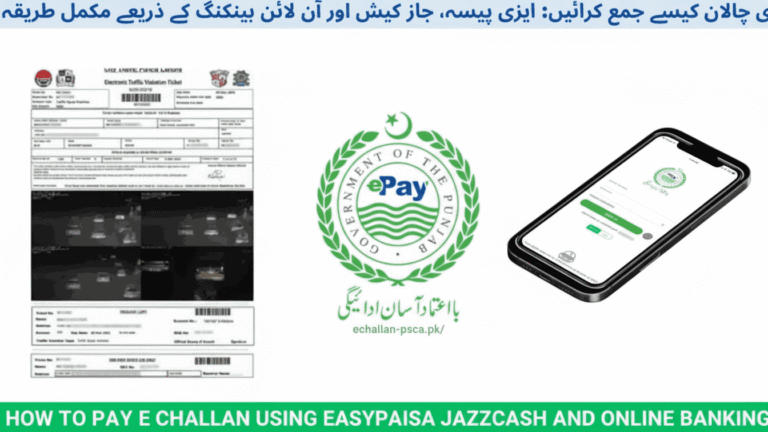
How to Pay PSCA E-Challan Online via ePay Punjab 2026 – Complete Payment Guide
Receiving a traffic fine notification can interrupt your day, but dealing with it shouldn’t take hours of your time. Punjab Safe Cities Authority has transformed how drivers handle traffic violations by integrating their challan system with ePay Punjab, the government’s official digital payment platform. This means you can verify and clear your fines directly from your phone without stepping into any office or dealing with paperwork.
The integration between PSCA’s surveillance system and ePay Punjab has created a seamless payment experience in 2026. Smart cameras across Lahore, Rawalpindi, Multan, and Faisalabad automatically detect violations and issue digital fines that you can pay within minutes. Before making payment, you might want to verify your Punjab challan status to confirm all pending violations and their details through the official verification system.
Understanding PSCA’s Digital Fine System
Punjab Safe Cities Authority operates one of Pakistan’s most advanced traffic monitoring networks. High-resolution cameras equipped with Automatic Number Plate Recognition technology monitor major roads and intersections continuously. When these cameras detect a violation, the system instantly captures evidence including photos, timestamp, location coordinates, and vehicle details.
The recorded violation gets processed automatically and creates a digital challan linked to the vehicle’s registration number. Within hours, the system updates the central database managed by PSCA and Punjab Police. Vehicle owners typically receive SMS notifications, though checking online remains the most reliable verification method.
Traffic Violations Tracked by PSCA
| Violation Type | Camera Detection | Fine Range |
|---|---|---|
| Speed limit breach | Radar speed cameras | Rs. 2,000 – Rs. 6,000 |
| Signal jumping | Red light cameras | Rs. 2,000 – Rs. 4,000 |
| Wrong lane usage | ANPR monitoring | Rs. 1,000 – Rs. 2,500 |
| Illegal U-turns | Traffic cameras | Rs. 1,500 – Rs. 3,000 |
| No-parking zones | Smart surveillance | Rs. 1,000 – Rs. 2,000 |
These automated systems ensure consistent enforcement across all monitored areas, reducing human bias and increasing compliance rates among drivers throughout Punjab.
Setting Up ePay Punjab Access
ePay Punjab serves as the official payment gateway developed by Punjab Information Technology Board for all government-related payments including traffic fines, tax payments, and various civic services. Getting started requires minimal setup.
Mobile App Installation
Download the ePay Punjab application from Google Play Store for Android devices or Apple App Store for iOS devices. The app carries the official PITB branding and has been verified by both platforms. Install the app and create your account using your mobile number and basic verification.
Web Portal Access
If you prefer desktop access, visit the official ePay Punjab website through any modern browser. The web version offers identical functionality without requiring any software installation. Both mobile and desktop versions sync with the same database ensuring consistent access to your payment records.
Complete Payment Process Through ePay Punjab
Launch the ePay Punjab app or open the web portal in your browser. From the main dashboard, locate and select the Department section which lists all government services available through the platform.
Navigating to PSCA Services
Within the Department section, scroll through the available options and select Punjab Police from the list. This opens a submenu containing various police-related services. Look for the option labeled E-Challan (Safe City) which specifically handles PSCA traffic fines.
Searching Your Vehicle Record
The system prompts you to enter identification details for challan verification. You can search using either your vehicle registration number or chassis number. Enter the information exactly as it appears in your vehicle documents. The registration number format typically includes letters followed by numbers like ABC-1234 or LEA-5678.
Click the Search button and wait for the system to retrieve your records. The process takes just seconds as it queries the central PSCA database for any pending violations associated with your vehicle.
Reviewing Challan Information
Once the search completes, ePay Punjab displays a detailed list of all challans linked to your vehicle. Each entry shows comprehensive information including challan number, registered owner name, vehicle color and make, exact violation date and time, specific offense location, total fine amount, due date for payment, and current payment status.
Take time to review each challan carefully. Verify the violation details match actual incidents. If you notice any discrepancy or believe a challan was issued incorrectly, you can contest it through proper channels before making payment. For drivers in Lahore specifically, you can cross-reference these details by checking Lahore traffic challan records through city-specific verification portals.
Selecting Challans for Payment
ePay Punjab offers flexible payment options. You can choose to pay a single challan if you only want to clear one violation. Alternatively, select multiple specific challans if you prefer paying some but not all pending fines. The system also provides an option to pay all outstanding challans simultaneously, which proves useful if you have several accumulated violations.
Select your preferred payment option based on your current financial situation and priorities. Keep in mind that overdue challans may accumulate additional penalties, so clearing older violations first often makes financial sense.
Generating Your Payment Reference
After selecting which challans to pay, click the Generate Challan button. The system creates a unique 17-digit Payment Slip ID commonly called PSID. This identifier serves as your payment reference number and connects your transaction to the specific challan or challans you selected.
Save this PSID number immediately by taking a screenshot or writing it down. You’ll need this number to complete payment through your chosen banking channel. The PSID remains valid for the selected challans until payment completion, so you can use it anytime within the payment deadline.
Available Payment Channels
| Payment Method | Processing Time | Availability |
|---|---|---|
| JazzCash | Instant | 24/7 |
| Easypaisa | Instant | 24/7 |
| HBL Mobile | Instant | 24/7 |
| UBL Digital | Within 1 hour | 24/7 |
| Meezan Bank | Instant | 24/7 |
| ATM Payment | 2-24 hours | Banking hours |
Punjab’s digital infrastructure now supports payment through virtually every major financial platform operating in Pakistan. This includes popular mobile wallets like JazzCash, Easypaisa, and SadaPay, as well as banking apps from HBL, UBL, Meezan Bank, Bank Alfalah, Allied Bank, Askari Bank, Faysal Bank, and Bank of Punjab.
Processing Payment Through Banking Apps
Open your preferred mobile banking application and log in using your credentials. Navigate to the Bill Payment section which most banks place prominently in their main menu. Look for options labeled Government Fees, Taxes, or ePay Punjab Services depending on your bank’s interface design.
Select the ePay Punjab or Government Payment option. The system prompts you to enter your 17-digit PSID generated earlier. Type or paste this number carefully ensuring all digits are correct. The app retrieves the challan details associated with your PSID including the total payable amount.
Review the displayed information one final time to confirm everything matches your selected challans. Verify the amount corresponds to your expectations. Once satisfied, authorize the payment through your bank account. Most banks process these transactions instantly and display confirmation immediately.
Save your transaction receipt by taking a screenshot or using the app’s download feature. This receipt serves as proof of payment until the PSCA system updates your challan status, which typically happens within 24 hours.
Benefits of ePay Punjab Integration
The connection between PSCA and ePay Punjab has eliminated numerous frustrations previously associated with traffic fine payments. You no longer waste time traveling to traffic offices, standing in queues, or dealing with cash payments and manual receipts.
Digital payments offer complete transparency with every transaction recorded electronically. The system prevents overcharging or unauthorized fees since all amounts come directly from official databases. Real-time confirmation gives you instant peace of mind that your payment processed correctly.
Multiple payment channel support means you’re never stuck with limited options. Whether you prefer mobile wallets for convenience or traditional banking apps for record keeping, the system accommodates your preference. Stay informed about payment system improvements and new features through PSCA latest updates that announce system enhancements and policy changes.
Payment Verification and Record Keeping
After completing payment, always save your transaction receipt from the banking app or wallet you used. While the system updates automatically, having physical proof protects you during any verification delays or system synchronization issues.
Check your challan status again after 24 hours by repeating the search process in ePay Punjab. Paid challans should disappear from your pending list or show a paid status indicator. If your payment doesn’t reflect within 48 hours despite having a valid receipt, contact PSCA helpline or visit their office with your transaction proof.
Keep payment receipts stored digitally on your phone or cloud storage for at least six months. Traffic police conducting random checks may request payment verification, and your receipt serves as immediate proof even if their mobile system hasn’t synchronized yet.
Important Safety Guidelines
Always use official ePay Punjab applications or websites. Avoid clicking payment links received through SMS or social media from unverified sources. Scammers often create fake payment portals designed to steal your banking credentials or personal information.
Never share your banking passwords, OTPs, or PINs with anyone claiming to help process your payment. Legitimate payment channels never require you to share security credentials with third parties.
Verify your PSID number matches the challans you actually want to pay before authorizing any transaction. Once payment processes, reversals become complicated and time-consuming requiring formal applications and verification.
Frequently Asked Questions
Can I pay someone else’s PSCA challan through ePay Punjab?
Yes, the system allows anyone to pay any challan as long as they have the vehicle registration number or chassis number to generate the PSID.
What happens if my payment doesn’t show in the system?
Wait 24 hours for system synchronization. If still not updated, contact PSCA helpline with your transaction receipt and PSID number for manual verification.
Are there additional charges for using ePay Punjab?
ePay Punjab itself charges no service fees. However, some banking apps or mobile wallets might apply minimal transaction charges based on their policies.
How long does PSID remain valid after generation?
PSID stays valid until the challan’s payment deadline expires or until you complete payment, whichever comes first.
Can I generate multiple PSIDs for the same challan?
Yes, but only pay once. Generating new PSIDs doesn’t create duplicate charges, but paying multiple times requires refund processing.
What if I disagree with the challan details?
Don’t pay immediately. Visit the nearest PSCA office or Safe City office with your vehicle documents and evidence to contest the challan formally.
Final Thoughts
ePay Punjab has simplified PSCA challan payments to the point where clearing traffic fines takes less time than ordering food delivery. The integration between advanced surveillance systems and modern payment platforms represents Punjab’s commitment to digital governance and citizen convenience. Always maintain clean driving records by following traffic laws, but when violations occur, use these official channels for quick, secure, and transparent fine settlement.