PSCA Safe City Portal 2025: Complete Guide to E-Challan & Traffic Management
The Punjab Safe Cities Authority has revolutionized how people interact with traffic enforcement and public safety systems across Punjab. What used to require multiple office visits, long queues, and endless paperwork now happens instantly through your smartphone or computer, thanks to the advanced Safe City Portal that puts all essential services at your fingertips.
Whether you need to verify a traffic fine, pay pending challans, report incorrect tickets, or simply stay informed about real-time traffic conditions in Lahore, the PSCA portal handles everything seamlessly. The system operates 24/7 and connects directly with Punjab’s extensive network of surveillance cameras and automated number plate recognition technology.
Understanding how to navigate the PSCA E Challan Punjab system through this portal can save you significant time, help you avoid unnecessary penalties, and keep your driving record spotless throughout 2025 and beyond.
What Makes PSCA’s Safe City Portal Different
The Punjab Safe Cities Authority isn’t just another government department managing traffic violations. It represents Pakistan’s most ambitious smart city initiative, combining cutting-edge surveillance technology with citizen-friendly digital services that actually work when you need them.
At its core, the portal serves as your central hub for interacting with Punjab’s entire traffic management ecosystem. Behind the simple interface runs a sophisticated network of thousands of high-definition cameras, artificial intelligence systems analyzing traffic patterns in real-time, and databases that instantly match vehicle registrations with owner information.
The system captures traffic violations automatically using ANPR cameras that can read license plates from multiple angles, even in challenging weather conditions or low light. When your vehicle commits an offense like jumping a red signal, exceeding speed limits, or driving in restricted lanes, cameras document everything with timestamp evidence and generate an e-challan within seconds.
Core Services Available Through PSCA Portal
| Service Type | Features | Access Method | Processing Time |
| E-Challan Check | View all pending/paid fines | Vehicle number search | Instant |
| Online Payment | Multiple digital payment options | PSID-based transaction | Real-time update |
| Complaint Filing | Dispute wrong challans | CMS system submission | 3-7 working days |
| Traffic Monitoring | Live city-wide traffic status | Portal dashboard/app | Real-time feeds |
Understanding these services and knowing exactly when to use each one helps you handle traffic-related matters efficiently without confusion or delays.
Step-by-Step Guide to Checking Your E-Challan
Getting access to your traffic violation records takes just minutes when you know the exact process. Here’s how to check pending fines without any hassle:
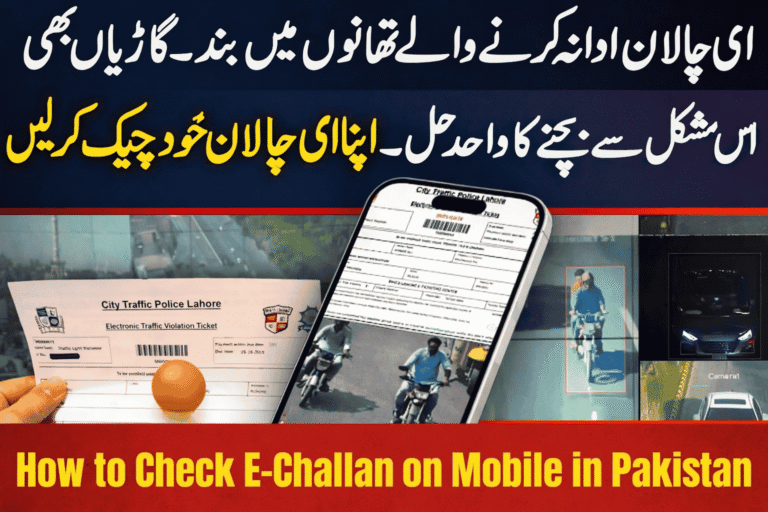
Access the Official PSCA Website Open your browser and navigate directly to https://www.psca.gop.pk/ ensuring you’re on the authentic government portal. Fake websites mimicking official platforms have appeared recently, so always verify the URL carefully before entering any personal information.
Locate the E-Challan Section From the homepage, find and click on “Safe City Portal” or “e-Challan Services” link. This redirects you to the dedicated traffic management dashboard where all citizen services are organized clearly.
Enter Your Vehicle Details Type your complete vehicle registration number exactly as it appears on your registration book. Common formats include ABC-1234 or AB-123, depending on your vehicle’s registration city and year. The system is case-sensitive, so match the format precisely.
Review Your Results Within seconds, the portal displays all challans associated with your vehicle including violation dates, offense types, locations where violations occurred, fine amounts, and current payment status for each entry.
Download Documentation Save or print your e-challan slips as PDF files for your personal records. These documents serve as official proof should any disputes arise later or when you need to reference specific violation details.
Just like residents in Lahore can easily access their E Challan Lahore records through this system, the same portal serves all major Punjab cities with equal efficiency and reliability.
Complete Payment Process for PSCA E-Challans
Once you’ve confirmed your pending fines, clearing them through digital channels eliminates the need for physical office visits and ensures instant payment confirmation.
Understanding Your Payment Slip ID (PSID)
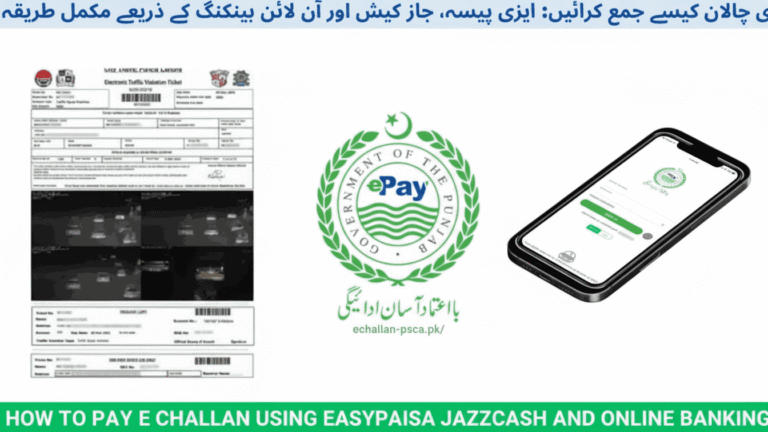
Every e-challan generated by PSCA includes a unique Payment Slip ID, commonly called PSID. This identifier connects your specific violation to the payment system and ensures your money reaches the correct department. Never attempt payment without noting down your PSID first, as generic payments without proper reference numbers create processing complications.
ePay Punjab Mobile App Method
The ePay Punjab app provides the most streamlined payment experience for PSCA challans:
- Download ePay Punjab from Google Play Store or Apple App Store
- Complete one-time registration with your mobile number and CNIC
- Select “Traffic Challan” or “PSCA Fine” from the services menu
- Enter your PSID exactly as shown on your e-challan slip
- Verify that the displayed fine amount matches your challan
- Choose your payment source (mobile wallet, linked bank account, or debit card)
- Confirm transaction and save the digital receipt
- Payment reflects in the PSCA system within 15-30 minutes
Bank Transfer and ATM Payments
Traditional banking channels still work perfectly for those who prefer them:
Most Pakistani banks support e-challan payments through their mobile banking apps under the “Bill Payments” or “Government Services” category. Simply select PSCA or Punjab Traffic Police as the biller, enter your PSID, and complete the transaction.
ATM payments work through the 1-Link network where you can insert your card, navigate to bill payments, select traffic challan services, input your PSID, and pay directly. Remember to keep the printed receipt as proof until the payment updates in the online system.
Over-the-Counter Payments
If digital payments aren’t your preference, visit any Punjab Police traffic office or designated payment counter with your printed e-challan slip. Staff will accept cash payments and issue official receipts on the spot. However, manual payments take longer to reflect in the online database compared to digital transactions.
Filing Complaints Against Incorrect E-Challans
Technology makes mistakes, and sometimes cameras capture incorrect vehicle numbers or issue challans for violations you didn’t commit. PSCA’s Complaint Management System exists specifically to handle these situations fairly.
When You Should File a Complaint:
Your vehicle was somewhere else when the violation allegedly occurred, and you have proof like parking receipts or CCTV footage from another location. The camera captured a similar-looking number plate but not actually your vehicle. Technical errors in the ANPR system misread your registration number. You already paid the challan but it still shows as pending in the system.
How to Submit Your Complaint Effectively:
Navigate to the Complaint Management section on the PSCA portal. Provide your complete vehicle registration number, CNIC, and challan reference number. Clearly explain why you believe the challan is incorrect, keeping your description factual and specific. Attach supporting documents like vehicle location proof, previous payment receipts, or photographs showing your actual number plate.
The complaint review team typically responds within 3 to 7 working days. If your evidence is valid, they’ll cancel the challan and remove it from your record. Invalid complaints get rejected with explanations of why the original challan stands.
Using the Safe City Lahore Mobile App
While the web portal handles most tasks efficiently, the mobile app adds convenience features that work better on smartphones, especially when you’re traveling or need quick updates.
Key App Features That Make Life Easier:
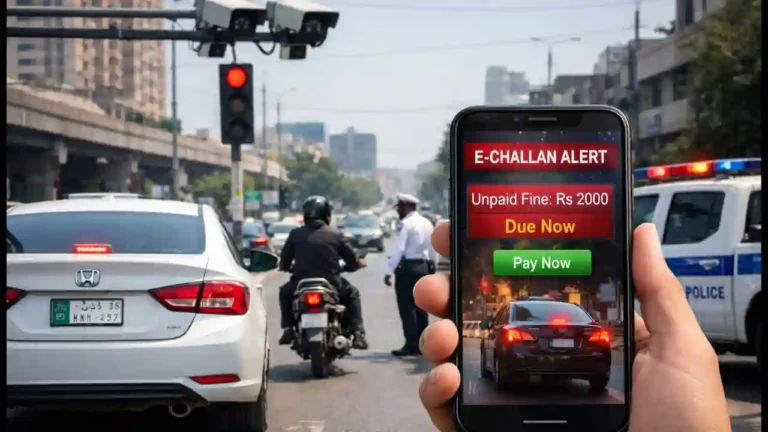
Real-time traffic maps showing congestion levels across Lahore’s major routes help you plan alternate paths during rush hours. Push notifications alert you immediately when new e-challans are issued against your vehicle, allowing you to address them quickly before late fees apply. Emergency reporting lets you notify authorities about accidents, suspicious activities, or road hazards directly through the app with location sharing enabled.
The app also maintains a history of all your portal interactions including past challan checks, payment confirmations, and complaint submissions, giving you complete visibility into your traffic-related activities.
Common Traffic Violations Detected by PSCA Cameras
Understanding which actions trigger automatic e-challans helps you drive more carefully and avoid unnecessary fines in the first place.
| Violation Type | Detection Technology | Fine Range (PKR) | Points Added |
| Red Signal Jump | Traffic Light Cameras | 1,000 – 2,000 | 3 points |
| Overspeeding | Speed Radar + ANPR | 1,500 – 5,000 | 5 points |
| Wrong Lane Driving | ANPR + AI Analysis | 500 – 1,000 | 2 points |
| Illegal U-Turn | Intersection Cameras | 750 – 1,500 | 2 points |
| No Seat Belt | High-Res Cabin Cameras | 500 | 1 point |
| Mobile Phone Use | AI-Powered Detection | 1,000 | 3 points |
PSCA’s camera network has become increasingly sophisticated, now capable of detecting violations that were previously only catchable by human traffic wardens. The AI systems can even identify drivers not wearing seat belts or using mobile phones while driving by analyzing video feeds in real-time.
Expert Tips for Using PSCA Portal Effectively
Getting the most value from PSCA’s digital services requires knowing a few insider techniques that aren’t immediately obvious to first-time users.
Set Up Regular Monitoring Don’t wait until vehicle registration renewal to discover pending challans. Check your status monthly through the portal to catch new violations early. Setting a calendar reminder for the first of each month works well for most people.
Maintain Consistent Information Use the same CNIC number and mobile phone number across all PSCA interactions. Inconsistent information creates verification problems that delay complaint resolution and payment processing.
Save All Digital Receipts Create a dedicated folder on your phone or computer for storing e-challan PDFs and payment receipts. These documents prove invaluable when disputing charges or handling registration matters.
Enable App Notifications If you use the Safe City app, keep notifications enabled so you receive instant alerts about new challans, traffic disruptions, or security advisories affecting your regular routes.
Use Official Channels Only Never call random numbers claiming to represent PSCA or share personal information with unofficial websites. The official helpline is 15, and the legitimate portal is always psca.gop.pk. Third-party services often charge unnecessary fees or steal your data.
For the latest developments in Punjab’s traffic management systems, regularly visit our Updated News section to stay informed about policy changes and new features.
Why PSCA’s System Benefits Both Citizens and Authorities
The Safe City infrastructure does more than just catch traffic violations. It creates a transparent, accountable system that protects citizens from arbitrary enforcement while giving authorities accurate data for improving urban safety.
Transparency Through Technology: Every challan comes with photographic or video evidence showing exactly what happened, when it occurred, and where your vehicle was positioned. This eliminates the “he said, she said” disputes that plagued manual enforcement systems.
Fair Treatment Across All Citizens: Automated cameras don’t discriminate based on vehicle type, driver appearance, or any other factor. Whether you drive a luxury sedan or an old motorcycle, the same rules apply equally with consistent enforcement.
Data-Driven Traffic Improvements: PSCA analyzes violation patterns to identify dangerous intersections, problematic traffic light timings, or confusing road markings that need fixing. This data helps improve infrastructure rather than just punishing drivers.
Reduced Corruption Opportunities: Digital systems leave no room for traffic wardens demanding bribes or issuing fake challans. Everything operates through official channels with proper documentation and payment tracking.
Troubleshooting Common Portal Issues
Even well-designed systems occasionally present challenges. Here’s how to handle typical problems users encounter:
“Vehicle Not Found” Error: Double-check your registration number for typos, ensuring you’ve matched the exact format. Some older vehicles might not yet be fully integrated into the digital system, requiring you to call the helpline for manual verification.
Payment Shows Pending After Completion: Digital transactions sometimes take up to 24 hours to reflect in the PSCA database. Wait one full business day before raising concerns. If the issue persists beyond 48 hours, contact your bank first to confirm the payment left your account, then call PSCA’s helpline with your transaction reference number.
Cannot Access Complaint Section: Try using a different browser or clearing your cache and cookies. The complaint system works best on updated versions of Chrome, Firefox, or Safari. Mobile browsers sometimes struggle with the file upload feature, so use a desktop computer if possible.
App Won’t Install or Keeps Crashing: Ensure your smartphone meets minimum requirements (Android 6.0 or iOS 12.0 minimum). Uninstall completely, restart your phone, then reinstall fresh from the official app store. Never download the app from third-party sources.
Future Developments in PSCA Services
The Punjab Safe Cities Authority continuously expands its capabilities with plans to integrate even more advanced features throughout 2025 and beyond.
Upcoming enhancements include AI-powered predictive traffic management that reroutes traffic before congestion occurs, expanded camera coverage reaching smaller cities and rural highways, integration with Pakistan’s national vehicle registration database for cross-provincial enforcement, and facial recognition systems for identifying wanted criminals or missing persons.
These improvements aim to make Punjab one of South Asia’s safest and most efficiently managed regions while maintaining the citizen-friendly approach that defines PSCA’s current services.
Frequently Asked Questions
How long does PSCA keep e-challan records in the system? All challans remain permanently stored in PSCA’s database even after payment. You can access your complete violation history dating back to when the digital system was first implemented in your city, typically 2016-2017 for Lahore and later for other Punjab cities.
Can I check e-challans for vehicles not registered under my name? Yes, the basic vehicle number search works for any vehicle, but you’ll need the owner’s CNIC to access detailed information or make payments. This security measure prevents unauthorized access to other people’s violation records.
What happens if I ignore PSCA e-challans completely? Unpaid challans block your vehicle registration renewal, add late payment penalties to original fines, may result in vehicle impoundment at checkpoints, and create legal complications if violations accumulate. Some serious unpaid violations can even lead to court summons.
Does the PSCA portal work for vehicles registered outside Punjab? No, PSCA only manages Punjab-registered vehicles. If you have a vehicle from Sindh, KPK, or Islamabad, you must use those provinces’ respective e-challan systems to check and pay fines.
How accurate are PSCA’s automated violation detection cameras? ANPR cameras achieve approximately 95-98% accuracy in good conditions. Occasional errors do occur, which is exactly why the complaint system exists. If you receive an incorrect challan, file a complaint with evidence and it will be reviewed fairly.
Can I pay someone else’s PSCA challan through the portal? Yes, anyone can make payments using the PSID number. You don’t need to be the vehicle owner to clear fines, though the challan record remains attached to the registered owner’s driving history regardless of who made the payment.
Making PSCA Portal Part of Your Routine
Incorporating regular portal checks into your monthly routine prevents surprises and helps maintain a clean driving record. Treat it like checking your bank balance or phone bill, something you do proactively rather than reactively.
The few minutes spent each month verifying your status through the official PSCA portal can save you hours of frustration later when trying to renew registration or transfer vehicle ownership with unresolved challans blocking the process.
Remember that every e-challan represents a genuine traffic violation captured with digital evidence. Rather than viewing the system as an inconvenience, consider it a tool that keeps Punjab’s roads safer for everyone while giving you transparent access to information that affects your driving record and vehicle registration status.